How to Compare Meeting Scheduling Software Pricing
Calendly Standard and SavvyCal Basic both list at $10 a seat a month, and cal.com Teams at $12. The figure that decides the bill is which tier unlocks round-robin booking, because at one vendor it is the cheapest paid plan and at another it costs 60 percent more.
This article is a documentation review: it is based on the vendors' own published pages, checked on the date shown. We may earn a commission from some links; it never affects what we recommend.
Scheduling tools are the rare small business software category where the headline rates genuinely are close together. Calendly Standard and SavvyCal Basic both list at $10 a seat a month, and cal.com Teams at $12.
What separates the bills is which features each vendor puts behind which tier, and how many calendars a paid seat may connect.
This note reads the three vendors' pricing pages on October 13, 2026, and works the annual bill for a team of five people who host meetings.
Only the hosts need a paid seat
Calendly states the rule twice on its own cards. A seat is required for users to connect calendars and host meetings on Standard, and to create booking links on Teams, and meeting invitees do not require an account or a seat.
That makes the head count for scheduling software much smaller than the head count for a password manager or a help desk. Count only the people whose calendar is being booked.
A five-person sales team where two colleagues only attend calls needs three seats, not five. The same arithmetic is worked through in what per-agent pricing means when agents are part-time.
Work the annual bill for five hosts
Editorial calculation, five people who host meetings, annual billing where the page offers it, list prices as of October 13, 2026:
- SavvyCal Basic on annual billing: 5 x $10 x 10 paid months = $500 a year, reading the page's save 2 months as two free months
- Calendly Standard: 5 x $10 x 12 = $600 a year
- SavvyCal Basic on monthly billing: 5 x $10 x 12 = $600 a year
- cal.com Teams: 5 x $12 x 12 = $720 a year on yearly billing
- SavvyCal Premium on annual billing: 5 x $17 x 10 = $850 a year
- Calendly Teams: 5 x $16 x 12 = $960 a year
- cal.com Organizations: 5 x $28 x 12 = $1,680 a year on yearly billing
The save 2 months line on SavvyCal's annual toggle is not expressed as a percentage or a total, so the $500 figure is an editorial reading of that wording. Confirm the annual total at checkout.
Calendly quotes its own discounts as save 17 percent on Standard and save 20 percent on Teams, both measured against its monthly rates. cal.com quotes save 25 percent on both paid tiers.
Find the cheapest tier that includes round-robin
Round-robin booking, which rotates incoming meetings across a team, is the feature most likely to force an upgrade. All three vendors sell it, and all three put it in a different place.
SavvyCal lists Round Robin Mode, Collective Mode and Group Mode in its core features table with no exclusion mark against Basic, so the $10 plan carries it. cal.com puts round-robin scheduling on Teams at $12 a user a month.
Calendly places round-robin and team scheduling on Teams at $16 a seat, not on Standard at $10. For five hosts that is $960 a year against $600, a 60 percent difference for one capability.
So the cheapest published route to round-robin for five hosts is SavvyCal Basic, at $500 to $600 a year depending on billing cycle.
Features that gate a tier change are the ones to price first, as how to read a help desk pricing page sets out.
Count the calendar connections, not just the seats
Calendly's comparison table caps connected calendars at 1 on Free and 6 on Standard, Teams and Enterprise alike. SavvyCal lists unlimited calendar connections on both Basic and Premium.
cal.com's free tier states unlimited event types and calendars for a single user. Its paid tiers add team features rather than raising a connection limit.
Six connections is generous for most people and tight for anyone juggling a work calendar, a personal calendar and two or three client calendars. Check the number before the rate, the way how to read a help desk pricing page checks the agent definition.
Calendly also sells Notetaker and Callie as add-ons on Standard and Teams, and its page states both are available in English only. Neither add-on carries a printed price on the pricing page, so treat them as unquoted.
Calendly's enterprise floor is a cliff, not a step
Calendly Enterprise starts at $15,000 a year and starts at 50 seats, and the page notes it is available in USD only. That is $300 a seat a year, or $25 a seat a month, by editorial calculation.
Per seat, that is only 56 percent above the Teams rate. In absolute terms it is twenty-five times the annual bill for five hosts on Standard, and it cannot be bought below 50 seats.
What sits behind it is the governance list: SSO and SAML, domain control, audit log compliance, a data deletion API, onboarding and implementation, and a dedicated account contact.
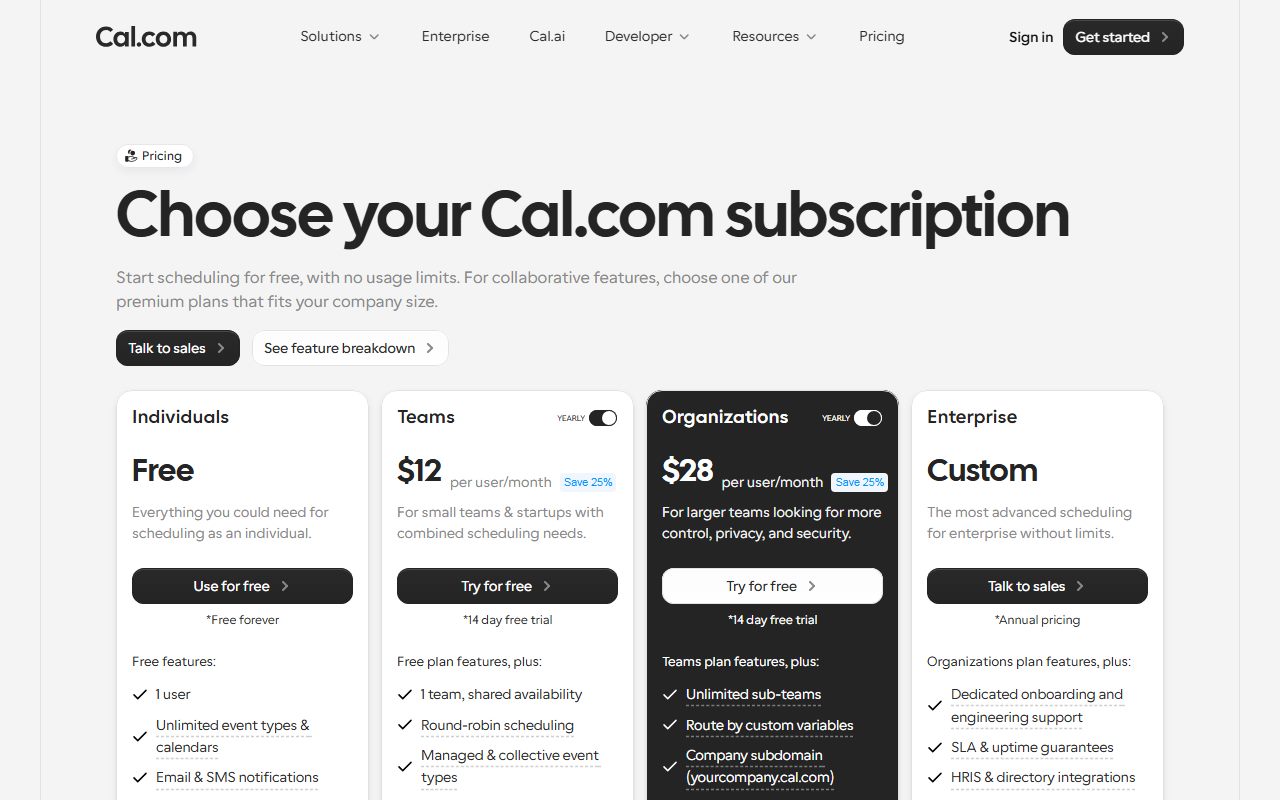
cal.com publishes an alternative route to some of that. Organizations at $28 a user a month lists SAML SSO and SCIM, a company subdomain, role-based permissions and SOC 2, HIPAA and ISO 27001 compliance, with no seat floor printed.
For a ten-person company that needs SSO, that difference is the whole decision. Governance features priced only at enterprise volume behave like the minimums described in how to compare password manager pricing for a small team.
Check what the free tier actually covers
cal.com Free is the broadest of the three. The card states 1 user, unlimited event types and calendars, email and SMS notifications, over 100 app integrations, Stripe and PayPal payments, two-way Salesforce and HubSpot sync, and one-click import of Calendly events.
Calendly Free states one event type, one calendar connection, one-on-one scheduling only, a customisable booking page and the browser extension. One event type is the binding limit for anyone offering both a short call and a long one.
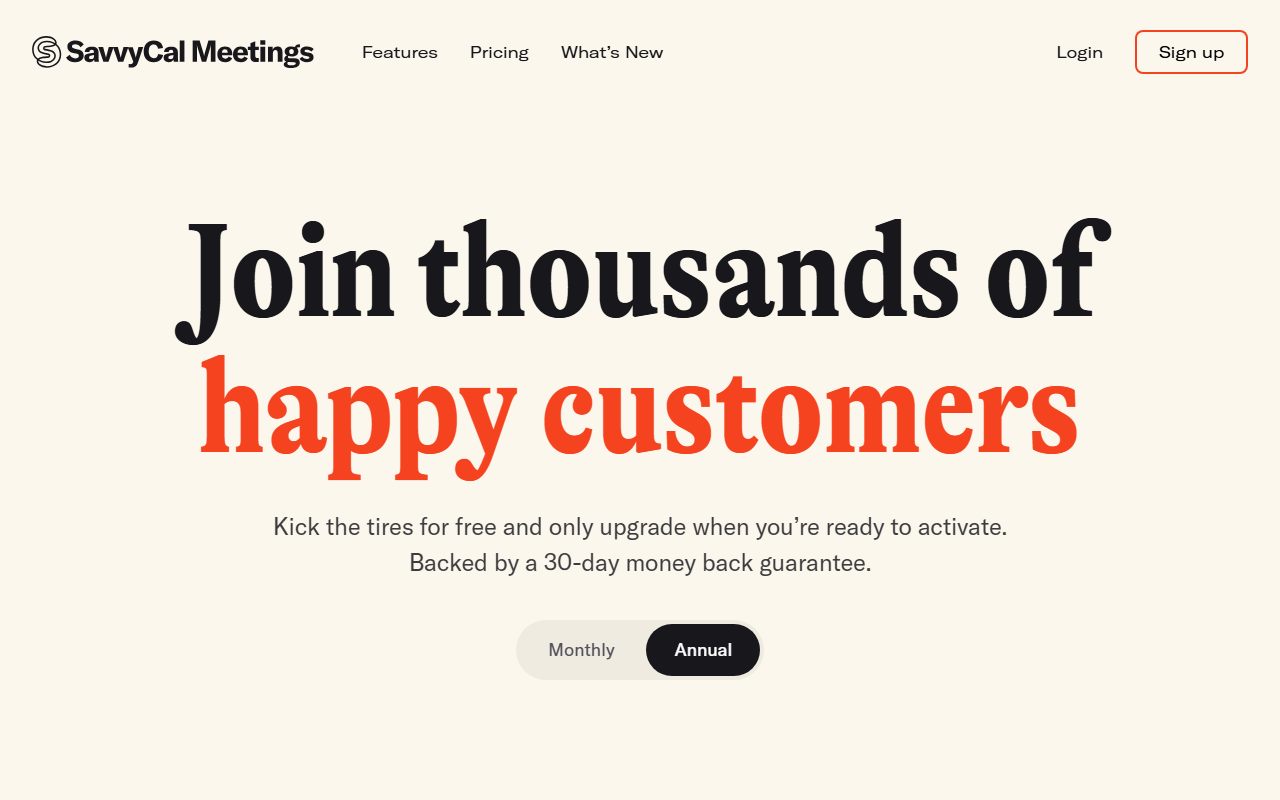
SavvyCal does not print a free plan on its pricing cards. It offers to let you kick the tires for free before activating, and backs purchases with a 30-day money back guarantee; no trial length is printed on the cards.
cal.com states a 14-day free trial on Teams and Organizations. A guarantee is not a trial, because the money moves first. That distinction matters more than the headline rate, as it does in what per-agent pricing means when agents are part-time.
Bottom line
For five hosts, the published annual bills run from about $500 on SavvyCal Basic with annual billing to $1,680 on cal.com Organizations, as of October 13, 2026. Calendly Standard sits at $600 and Calendly Teams at $960.
Count hosts rather than staff, because invitees never need a seat. Then find the tier that unlocks round-robin, which is Basic at SavvyCal, Teams at cal.com and Teams at Calendly.
If single sign-on is a requirement, compare cal.com Organizations at $28 a user against Calendly Enterprise, which cannot be bought below 50 seats or $15,000 a year.
Unpriced add-ons and unquoted tiers deserve the same scepticism as the word unlimited in what unlimited calling really means in business phone plans.
Frequently asked questions
Do meeting invitees need a paid Calendly seat?
No. Calendly's pricing cards state that seats are required for users who connect calendars, host meetings and create booking links, and that meeting invitees do not require an account or a seat, as of October 13, 2026.
What is the cheapest scheduling plan with round-robin booking?
SavvyCal Basic at $10 per user per month, whose core features table lists Round Robin Mode with no exclusion against Basic. cal.com puts round-robin on Teams at $12, and Calendly puts it on Teams at $16 a seat.
How much does Calendly cost for a team of five?
Standard at $10 a seat a month billed yearly works out at $600 a year for five hosts, and Teams at $16 works out at $960, by editorial calculation from the October 13, 2026 page.
Does Calendly have a minimum number of seats?
Not on Standard or Teams. Enterprise does: the page states it starts at $15,000 a year and starts at 50 seats, and that it is available in USD only.
Is cal.com free for one person?
The free tier is described as free forever for 1 user and lists unlimited event types and calendars, email and SMS notifications, over 100 integrations, payments through Stripe and PayPal, and two-way Salesforce and HubSpot sync.
Which scheduling tools offer a free trial?
cal.com states a 14-day free trial on Teams and Organizations. SavvyCal prints a 30-day money back guarantee rather than a trial length. Calendly offers a free plan instead of a trial on Standard and Teams.
Sources
- Calendly pricing (Free with 1 event type and 1 calendar connection, Standard $10 a seat a month billed yearly at 17 percent off, Teams $16 at 20 percent off with round-robin, Enterprise from $15,000 a year starting at 50 seats and USD only, 6 calendar connections on paid tiers, Notetaker and Callie add-ons unpriced) (checked Oct 13, 2026)
- SavvyCal plans and pricing (Basic $10 per user per month, Premium $17, annual billing described as save 2 months, 30-day money back guarantee, unlimited links and calendar connections on both plans, Round Robin and Collective modes on Basic, custom domains and paid bookings on Premium only) (checked Oct 13, 2026)
- Cal.com pricing (Free forever for 1 user with unlimited event types and calendars, Teams $12 per user per month yearly at 25 percent off with round-robin, Organizations $28 with SAML SSO and SCIM and compliance certifications, 14-day free trial on both paid tiers, Enterprise custom and annual) (checked Oct 13, 2026)